Gizmo, Anki, Quizlet, YouTube, or prepPH? An honest look at free PRC board exam reviewers, and the catch with each one.

Mariano Luiz King · PrepPH Founder
Published October 22, 2026

Review centers cost a lot, so most reviewees go looking for a free board exam reviewer first. The problem: most "free" tools are free to download but expensive in time. You end up building the reviewer yourself before you can study from it.
This post compares the popular free options for PRC licensure exams, and the catch with each one. Free-plan limits are as of October 2026 and change often.
| If you want… | Use |
|---|---|
| A fun, game-like way to drill your own cards | Gizmo |
| The strongest spaced repetition, and you don't mind setup | Anki |
| Quick definitions and terms | Quizlet |
| Someone to explain a topic you're stuck on | YouTube |
| Board-exam-style questions ready to answer today, with progress tracking | prepPH (I built it) |
Flashcard apps don't come with your board exam inside them. Someone has to write the questions. You have two choices, and both have a cost.
You make them yourself. This is the honest way to use Anki, Quizlet, and Gizmo. But think about the math. Say you write one card per minute. A 500-card deck for one subject is over 8 hours of typing, before you answer a single question. And most board exams have several subjects.
You use someone else's. Shared decks and sets save that time. But you don't know who made them, when, or whether the answers are right. In my experience, most free ones are bad. A deck from 2019 might use an old standard, an old law, or a coverage your board no longer follows.
Keep this in mind as you read the list.
| Ready-made board exam questions | Setup | Progress per subject | |
|---|---|---|---|
| Gizmo | No, you type cards or upload your own material | Easy | XP and streaks, not per PRC subject |
| Anki | Only shared decks from strangers | Hard | Raw stats, not per PRC subject |
| Quizlet | Only shared sets from strangers | Easy | Progress per set, not per PRC subject |
| YouTube | Not questions | None | None |
| prepPH | Yes, organized by PRC subject | Sign in | Yes |
Gizmo is a popular study app that feels more like a mobile game than a reviewer. You type your own cards, or let its AI make them from notes, PDFs, or photos of your handouts. Then you drill them with spaced repetition.
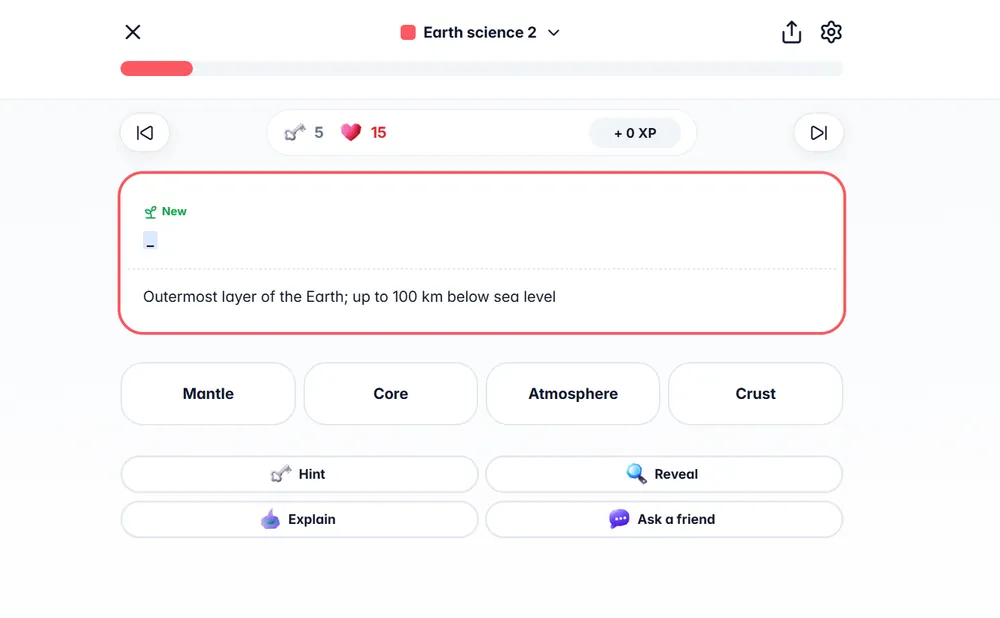
A Gizmo quiz round. The 15 hearts at the top are the free-plan limit. They refill, but you wait.
Pros:
Cons:
Best for: drilling your own notes in a fun way, if you can live with waiting for hearts to refill.
Anki is a free, open-source flashcard app. Med and nursing students swear by it for its spaced repetition.
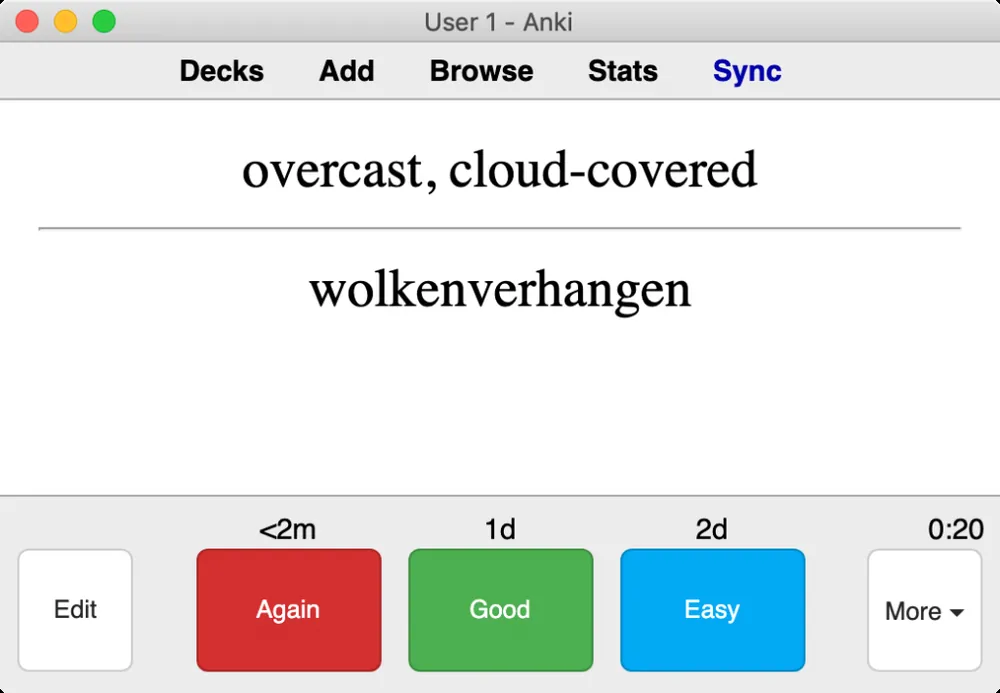
An Anki review. The times above each button show when the card comes back.
Pros:
Cons:
Best for: high-volume memorization (drugs, laws, definitions) if you're patient with setup.
Quizlet has a big library of user-made flashcard sets, including some for Philippine board exams.
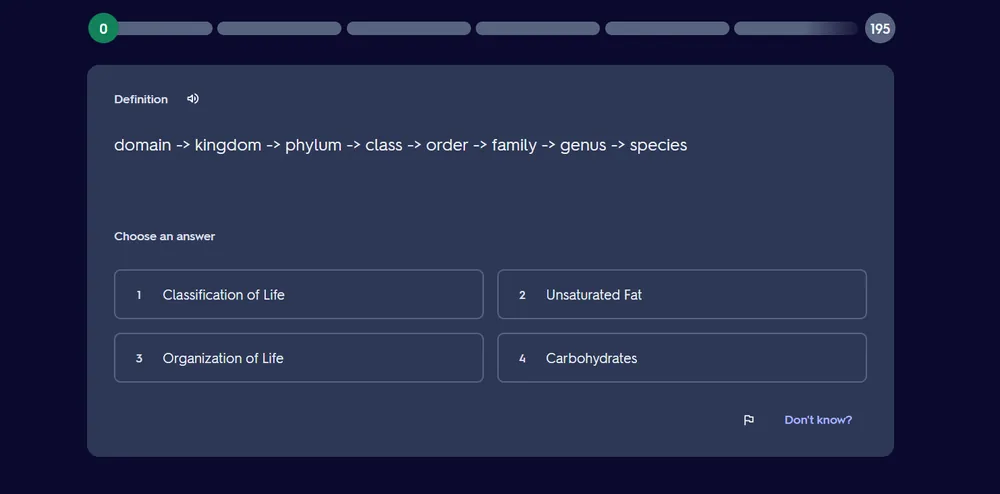
A Quizlet multiple choice round from a user-made set.
Pros:
Cons:
Best for: quick definitions and terms.
Many reviewers and teachers post free lectures and problem walkthroughs.
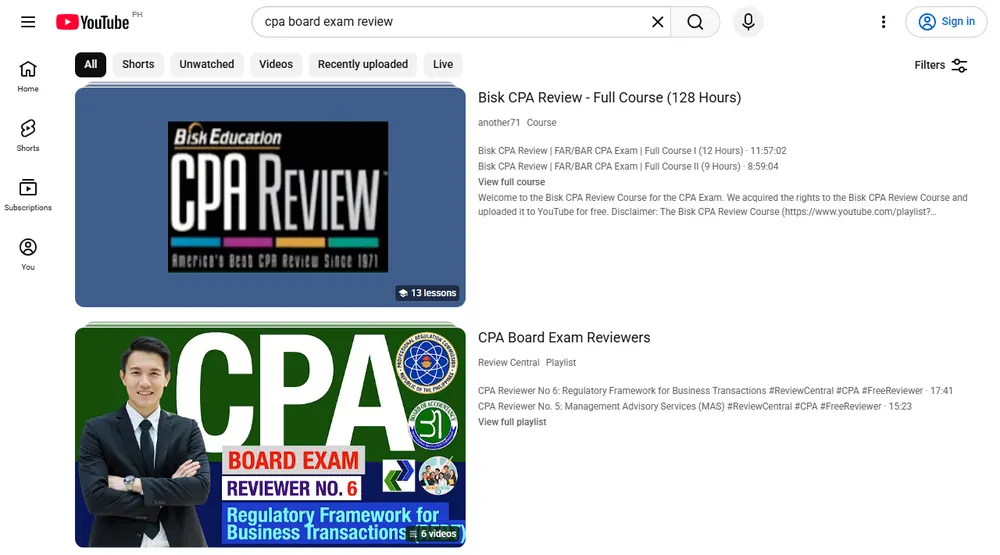
YouTube search for "cpa board exam review," screenshot taken October 2026.
Pros: Free explanations of hard topics. Good for visual learners.
Cons: Watching isn't practicing. You can watch 10 videos on a topic and still freeze on the exam question. Quality varies, and it's hard to follow as a full program.
Best for: the topic you just can't get from reading.
I've tried to be as hard on it as on the others. prepPH has free board-exam-style multiple choice questions with explanations and spaced repetition. You don't make any cards. You sign in, pick your exam, and start answering. Exams covered as of October 2026: CPA, Mechanical, Electrical, Electronics, Chemical Engineering, Medical Technology, Nutrition and Dietetics, Psychometrician, Psychologist, and Architecture.
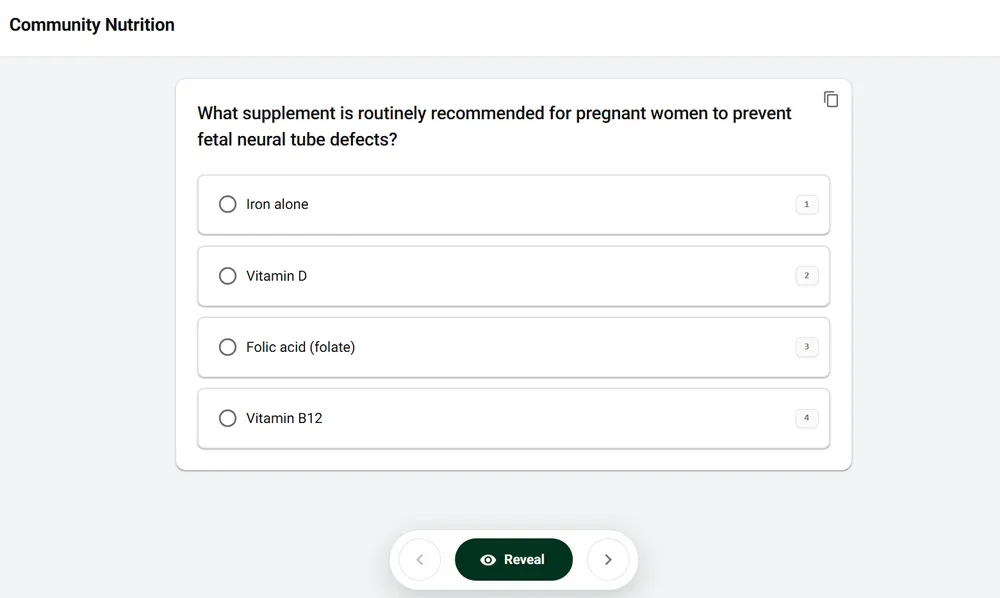
A prepPH question from Nutrition and Dietetics. The copy button is at the top right of the card.
Performance tracking. The dashboard shows your mastery per subject, plus how many you got right out of how many you tried. So instead of "I feel weak in Thermo," you see a number, and you watch it move week to week.
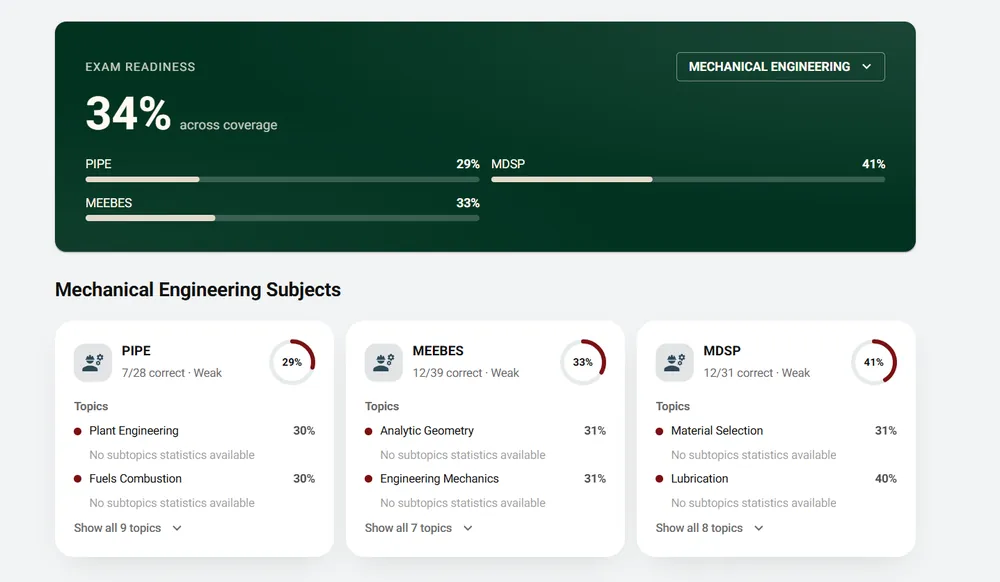
My Mechanical Engineering dashboard. The topic scores under each subject are part of the paid per-topic breakdown.
Filter your card set. Questions are grouped by PRC subject, then by topic. On the paid plan, you can filter down to just the topics you want, like only "Taxation" or only "Power Plant." That's how you drill a weak spot instead of shuffling through everything.
Built to work with AI. Every question has a copy button. It copies the subject, question, and choices. Paste it into ChatGPT, Claude, or Gemini to get a step-by-step solution, ask "why not B?", or get more practice on the same concept.
Pros:
Cons:
Best for: daily practice when you'd rather answer questions than build a deck.
Many review centers post free mock exams. They're useful for timing practice. But their difficulty varies a lot, so don't panic over one bad score, and don't relax after one great score. Track your trend across several mocks.
If you only have time for one tool, pick one that already has questions in it. Every hour spent typing cards is an hour you're not answering questions.
A good free setup for most reviewees:
If you can afford a review center, it adds structure and updated materials. If you can't, this setup plus a strict schedule can still work. No reviewer can promise you'll pass.
For the full study method, read How to Review for the PRC Board Exam.
Yes. Anki, Quizlet, YouTube lectures, and free question banks like prepPH are all free to start. Some have limits on the free plan, and flashcard apps need you to make or find the cards.
For memorization, yes. But it takes time to set up, and you'll either make your own cards or trust a stranger's deck. It works best as a side tool, not your main reviewer.
Some people do. It takes a solid plan, enough practice questions, and discipline. A review center helps with structure but doesn't guarantee a pass.
Yes, there's a free plan. It gives you 30 questions a day, with explanations, spaced repetition, and mastery tracking per subject. Topic filters and the per-topic breakdown are on the paid plan. See the plans page for what's included.
As of October 2026: CPA, Mechanical, Electrical, Electronics, and Chemical Engineering, Medical Technology, Nutrition and Dietetics, Psychometrician, Psychologist, and Architecture. There's no LET or Nursing yet.
No. Each exam's reviewer page, like the CPA reviewer, has free sample questions you can answer without signing up. To practice daily and track your progress, sign in with Google or email.
Every question has a copy button. It copies the subject, question, and choices. Paste that into ChatGPT, Claude, or Gemini and ask for a step-by-step solution, or for more questions like it. Check the AI's answer against your books, since it can be wrong.
Not fully. prepPH is for practice, not lectures. If you need to learn a subject from zero, pair it with books, YouTube lectures, or a review center.